No, you do not need a laptop to DJ.
We would go further than that. We think you are better off learning without one, and it is why we teach the way we do.
Why We Teach Without One
A laptop gives you something to look at. That sounds harmless, and at first it is useful, because the screen shows you the waveforms and tells you whether two tracks are lined up.
The problem is that it keeps telling you. You end up watching the screen instead of listening, and then instead of looking up. It becomes a thing to hide behind, and the two skills that actually matter get skipped: hearing whether the mix is working, and reading the room in front of you.
Both of those take longer to build than pressing the right buttons, and neither can be learned from a screen. A DJ who has learned to hear it can walk up to any setup in any room and work. A DJ who has learned to watch it is in trouble the moment the laptop is not there.
So we teach with the ears first. Music on a USB stick, standalone equipment, and traditional mixing on turntables where there is nothing to look at and no sync button to lean on. It is harder at the start. It is much better six months later.
The Ways You Can Set Up
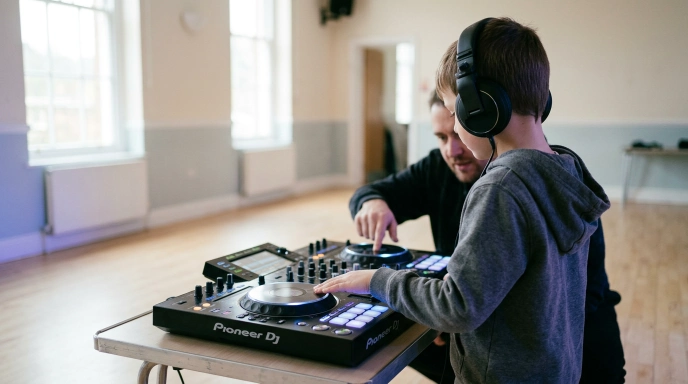
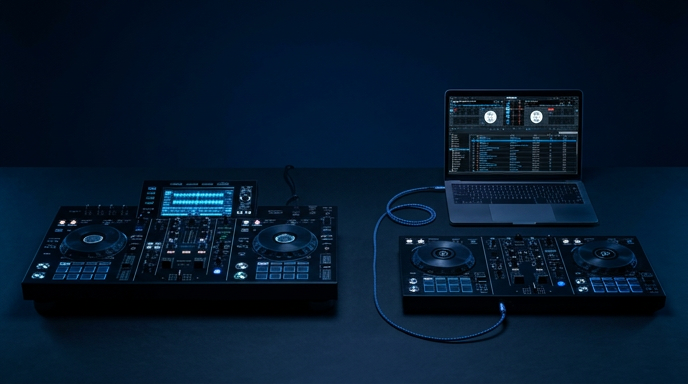
Standalone gear and a USB stick. Everything is built into the hardware. Your music goes on a USB stick, you plug the unit into the wall and into speakers, and that is the setup. No computer anywhere. This is what we use most.
Turntables and a mixer. The oldest route and still the purest one. Two decks, a mixer, records. No computer, no sync, no waveforms. Your ears do all of the work, which is exactly why it teaches so well. Records cost money each and take up space, so it is not the cheapest way in, but nothing else builds timing like it.
A controller and a laptop. The controller has the jog wheels and faders but does nothing on its own. It plugs into a computer by USB and the computer plays the music. This is the cheapest route into DJing by a distance, especially if there is already a laptop in the house.
All 3 are real DJing and the skills carry across. Someone who can beatmatch on turntables can do it on anything.
Where a Laptop Does Earn Its Place
None of this means laptops are bad. It means they are the wrong tool for learning to mix, and the right tool for something else.
Once someone can hold a mix together by ear, a computer opens up what they can do in a performance. Effects, sampling, dropping in sounds they have made themselves, remixing on the fly. That is a laptop being used to add something, rather than to check whether you got it right.
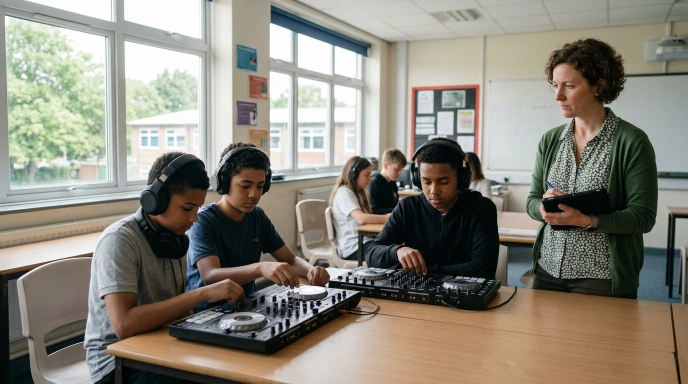
That is why our schools programme is built the way it is. Term 1 and Term 3 are the DJing terms and no laptops come into the room. Term 2 is production, and that is where the computers arrive, so students can start using effects and sampling to make a performance their own.
It is the same order for our group sessions and our adult courses. Ears first, screen second.
So What Should a Beginner Buy?
There is no single answer, and anyone who gives you one is selling something. It comes down to 2 things.
Budget. If money is the deciding factor, a controller and a laptop you already own is the cheapest honest route in, and it is a perfectly good place to start. Just be aware of what the screen does to you, and try to spend some of every practice session looking away from it.
Age. For a younger child, fewer things to manage is worth paying for if you can. Standalone means nothing to update, no files to find and nothing that needs a parent to come and fix it. For an older teenager who is likely to get into making tracks as well as playing them, a laptop is already doing half of that job.
If you are somewhere in the middle, start with the cheaper option. You can move to standalone later and the skills come with you.
A Note on Software
A few names come up while you are reading about this. Engine DJ, Serato DJ and rekordbox are all DJ software. Serato and rekordbox run on a laptop. Engine DJ runs on standalone hardware. We teach across all 3, because students turn up having used different things and because they will meet different setups later.
For production we use a digital audio workstation, which is a different kind of software again. That is where tracks get made rather than played.
None of it matters on day 1. You will be mixing before anyone explains what any of it is called.
Do You Need Anything to Start With Us?
No. We bring the decks, the speakers and a pair of headphones for every person in the session.
That is worth knowing before you spend anything. A few sessions will tell you more about what to buy than any amount of reading, because you will have used the equipment and you will know what you actually want from it.
Come and Try It
We run DJ sessions across Essex and east London for children and teenagers and for adults, in small groups, one-to-one, and during the school holidays.
Come to a session before you buy anything. If you want a recommendation afterwards, ask us, and we will tell you what we would get for the budget you have.